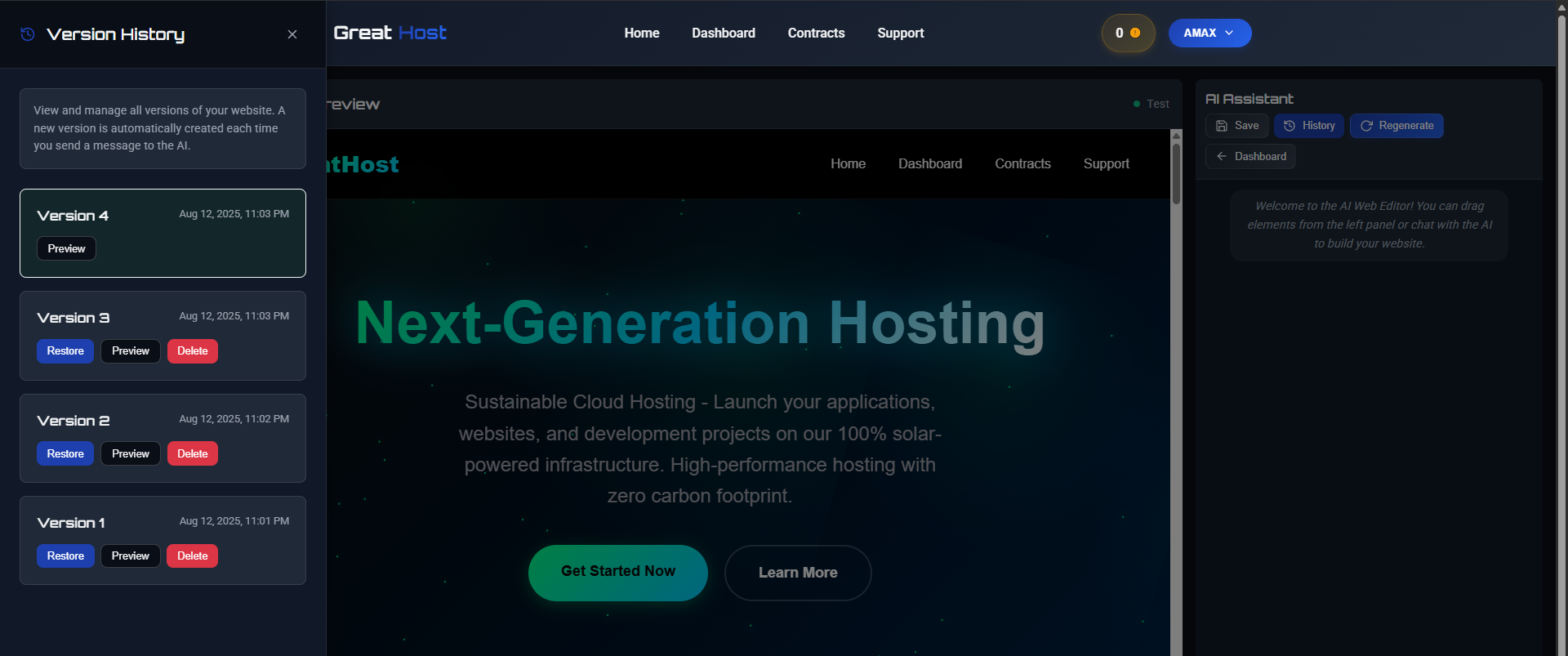
Introducing AI Website Version History in GreatHost
We’re excited to announce a brand-new feature for all GreatHost users — AI Website Version History. This tool allows you to easily track, preview, and restore previous versions of your AI-built websites.
How it works:
- Automatic Saves — Every time you make a change using the AI Web Editor, a new version is created automatically.
- Preview Before Restoring — Quickly preview any version to ensure it’s the one you want.
- Restore in One Click — Revert your site to any saved version instantly.
- Delete Old Versions — Keep only the versions you need to save storage and stay organized.
With Version History, you’ll never lose progress on your projects. Whether you’re experimenting with new layouts or trying out fresh content ideas, you can always go back to a previous state with confidence.
This feature is now live for all GreatHost users inside the AI Web Editor. Just click History in the AI Assistant panel to start managing your versions today.
Start building, experimenting, and evolving your website — worry-free!