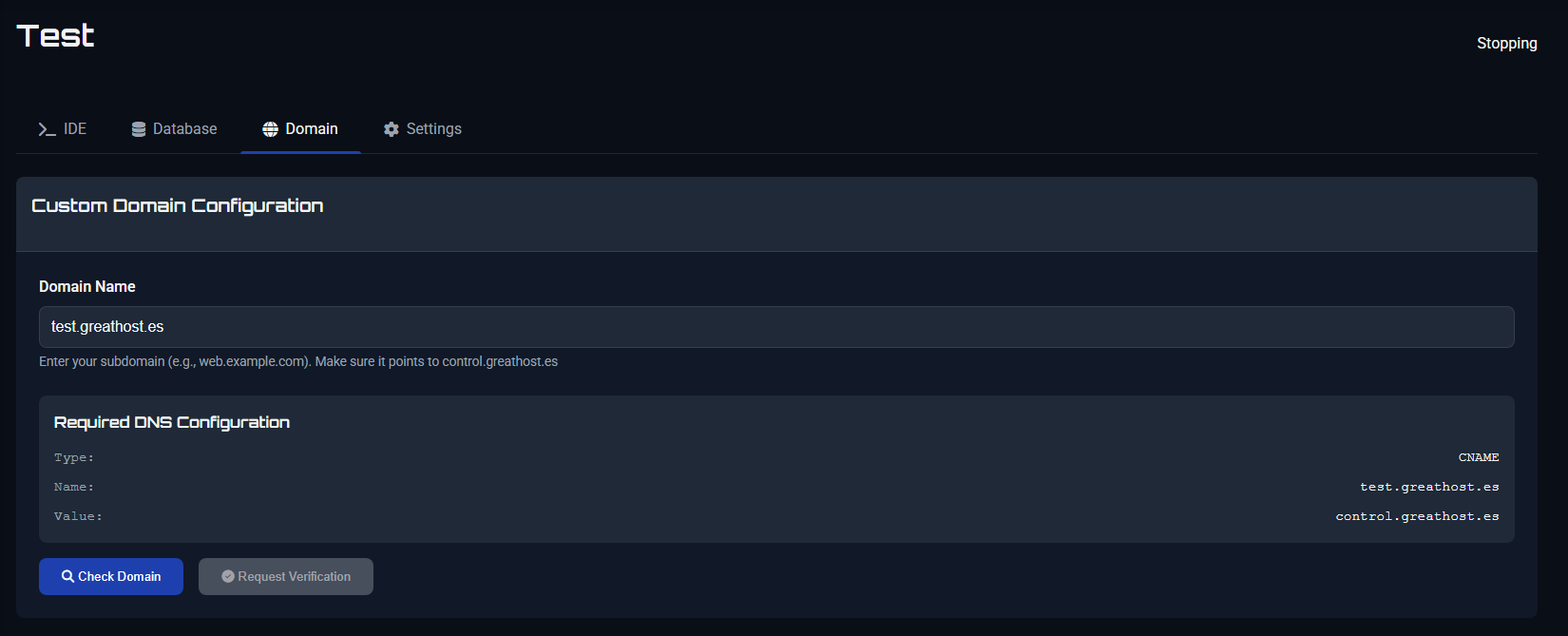
We’re excited to announce a brand-new feature in GreatHost: Custom Domain Configuration is now available for all projects created inside the IDE.
This update allows you to connect your own subdomain (e.g., web.example.com) to your hosted projects. With just a simple DNS configuration, you can point your domain to our control panel (control.greathost.es) and make your web projects look more professional.
How it works:
- Open the Domain tab in your IDE project.
- Enter your desired subdomain (e.g.,
app.yourdomain.com). - Add the provided DNS record (CNAME) in your domain registrar.
- Verify and activate your custom domain.
With this update, you no longer need to rely on default GreatHost links – your projects can now run directly on your own branded domain.
Give your work a professional look and make it easier to share your creations with the world!